Key Points
- AI decluttering apps employ advanced sorting algorithms to classify, rank, and streamline your physical belongings and digital files based on usage patterns.
- As these apps track your behaviors over time, they refine their suggestions, turning organization into a quicker, more personalized process with each session.
- Homeowners gain significant time savings by pairing AI insights with structured project approaches that break down tasks into achievable steps.
- Effective results require precise data entry, regular reviews, and a solid grasp of your specific spaces and goals.
- Strategic setup transforms decluttering from a daunting one-off chore into a routine practice that sustains order effortlessly.
Understanding the Foundations
Clutter arises when possessions outpace available space and decision-making stamina. The brain handles only so many choices at once, leading to delays in tackling stacks of papers or piles of household goods. AI steps in by examining usage data, spotting patterns, and proposing efficient groupings that consider frequency, similarity, and layout.
Assessing Your Clutter Profile
Start by pinpointing the nature of your disorganization before selecting an AI tool. Determine if physical mess, digital overload, or both dominate your challenges.
Signs of physical clutter:
- Storage units bursting at seams or counters buried under random objects
- Frustration in locating essentials like keys, outfits, or paperwork
- Buying duplicates because items hide in the chaos
Signs of digital clutter:
- Repeated images, jumbled directories, or unchecked downloads
- Inboxes swollen with unopened messages and scattered memos
- Messy file labels or unreliable archiving practices
This evaluation guides your app choice. Opt for platforms excelling in photo-based physical audits or those dedicated to taming digital archives.
Preparing for Success: Essential Tools and Strategies
Approach decluttering as you would any home improvement: with a detailed blueprint and timeline.
Gather these essentials:
- A mobile device equipped with a quality camera for item capture
- Secure cloud services to safeguard important files
- Adhesive labels and markers for tangible sorting
- Dependable Wi-Fi to keep AI features running smoothly
Set a realistic schedule:
Divide efforts into focused blocks. Tackle one area per session, like wardrobe essentials or email archives, to avoid burnout.
Prioritize safety:
Lift heavy objects with bent knees and maintain open walkways to dodge hazards. In digital work, always duplicate files prior to any purge to prevent irreversible mistakes.
Putting It into Action: A Guided Process
Step 1: Document Your Items
Snap photos or scan batches of objects and documents. Leading apps use visual analysis to auto-group them, such as clustering cookware by purpose or timestamping files by creation date.
Step 2: Examine AI Suggestions
Expect proposals for retention, gifting, recycling, or discarding. Scrutinize each one closely. Personal judgment protects cherished keepsakes or valuables from hasty decisions.
Step 3: Customize and Label
Approve or adjust the groupings to fit your style. Apply custom tags like 'frequent use,' 'backup only,' or 'temporary hold' for easy future access across your setups.
Step 4: Carry Out the Sort
Act on the ranked agenda. Pack donations into boxes or organize shelves for physical goods; for files, run bulk cleanups or relocate to dedicated directories.
Step 5: Track and Adjust
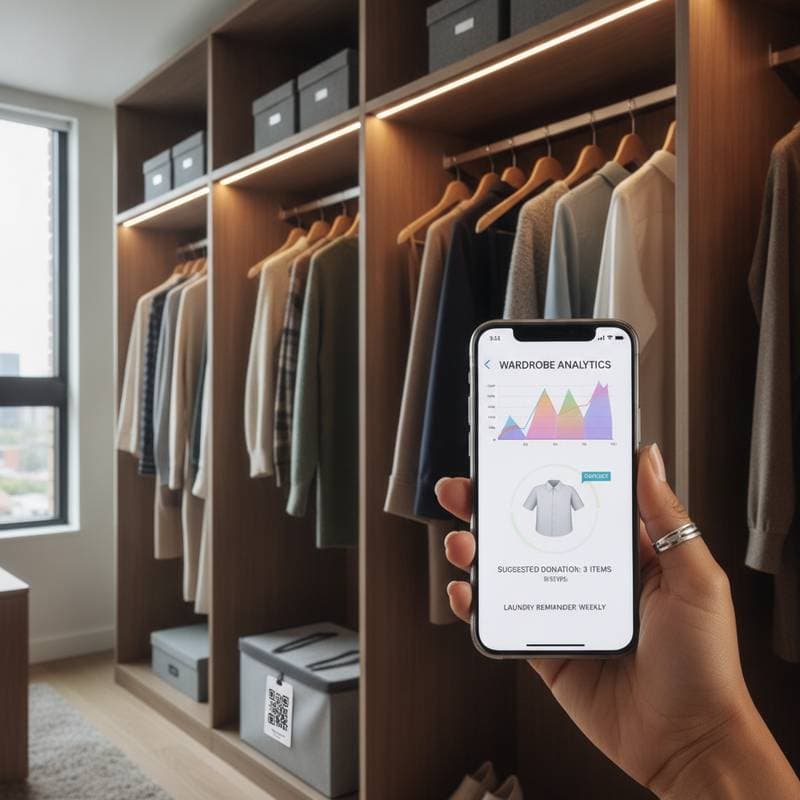
Link devices for seamless updates. Access the app's overview panel for metrics on inventory totals, completion rates, and habit trends. Check in weekly to refine your progress.
Measuring Results: Ensuring Lasting Impact
Gauge effectiveness by noting changes in your daily routine post-process. Track metrics such as:
- Time spent hunting for belongings or documents
- Available room in cabinets, closets, or hard drives
- Incidence of redundant buys or file copies
Should outcomes fall short, fine-tune the system with direct edits to errors. AI algorithms incorporate these tweaks, enhancing precision in subsequent rounds.
Sustaining Order: Long-Term Habits
View decluttering as an ongoing commitment, not a finish line. Program the app for periodic scans and mini-reviews to catch buildup early. Rely on forecast alerts for annual refreshes tied to seasons or life shifts.
For digital prevention, establish automated paths: Route fresh downloads to an 'Assess' bin cleared every seven days. In physical realms, enforce a 'replace one' rule for new acquisitions to preserve equilibrium.
Expert Strategies for Optimal Results
- Ease in gradually. Target a single drawer or subfolder first to gain confidence and quick wins.
- Incorporate voice activation. Pair apps with assistants like Alexa for dictation during busy moments.
- Dive into data insights. Analyze reports on clutter hotspots to inform smarter shopping and storage choices.
- Enable group participation. Link family profiles to share inventories and curb overlapping accumulations.
- Blend tech with tradition. Let AI guide the framework, then reinforce with physical organizers and daily rituals for enduring tidiness.
Advancing Your Organization Journey
Mastering AI decluttering apps empowers you to oversee your surroundings with minimal daily input. Merge these digital aids with disciplined planning to foster a harmonious living space.
With growing familiarity, tackle advanced features like automated stock logs or cyclical item rotations. Ultimately, this integration reclaims not just square footage but mental bandwidth, crafting a sanctuary that supports productivity and peace.